
GSoC Week 2 Experience: Migrating EHR to Laravel - User Module & Roles Module
Deep Dive into Roles Module with Laratrust
Introduction:
Welcome to the blog post highlighting my second-week experience in the Google Summer of Code (GSOC) program. This week, I focused on the Roles Module of the project and gained a deeper understanding of Laratrust, a powerful role-based access control package for Laravel. I made significant progress in implementing the Roles Module and had insightful discussions with my mentor regarding the project workflow and future steps. Let's dive into the details of my accomplishments and plans for the upcoming week.
Progress Made:
During this week, my main focus was on the Roles Module. I started by implementing the UI, which included creating an 'Add Roles' form and a view for displaying the created roles. I also had a productive call with my mentor, where we discussed queries and reviewed my implementation. After this, I got a clear idea about the implementation of the roles and permissions for the module.
Implementation
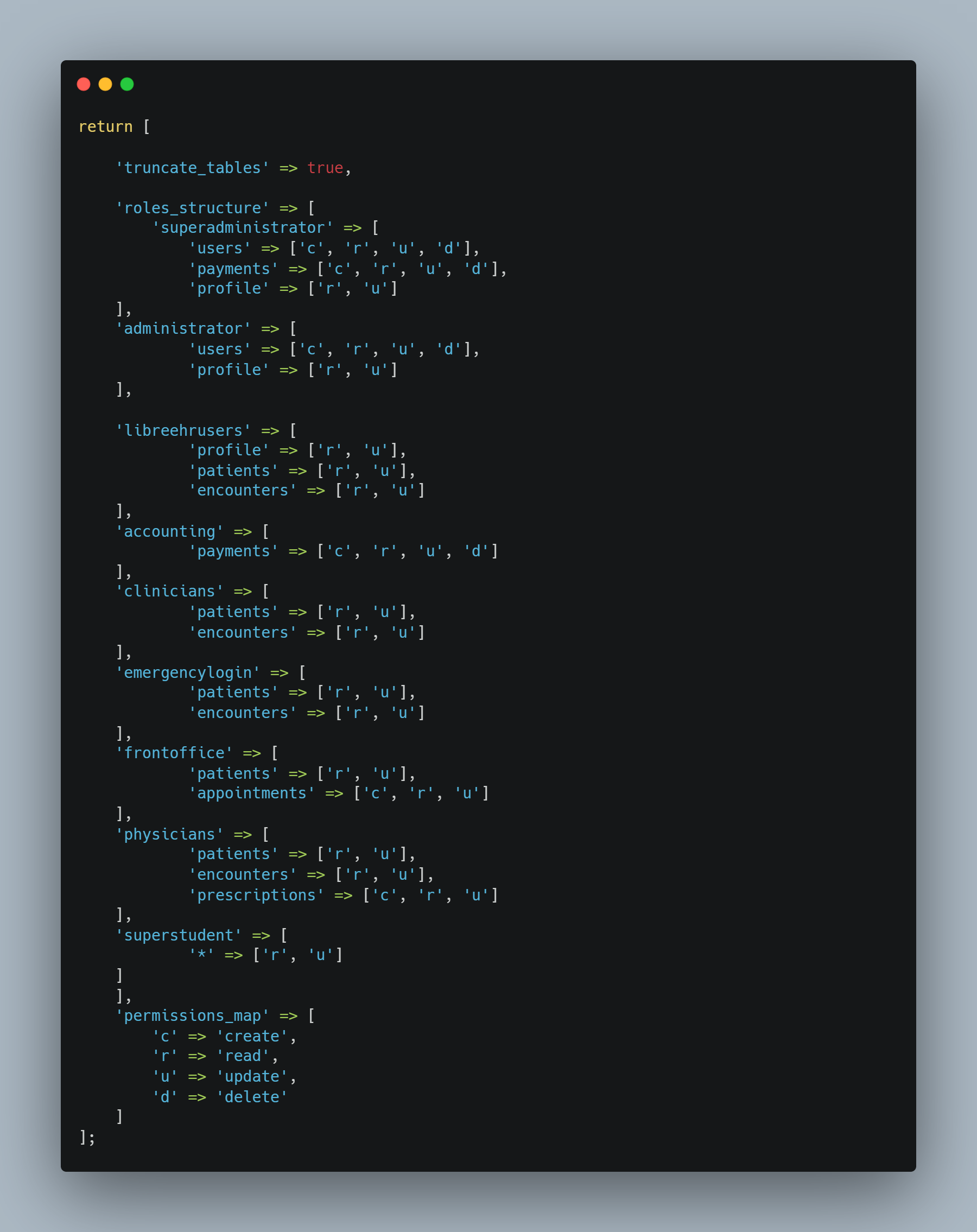
The main focus will be on creating a seeder that would populate the roles and permissions for each submodule in the application. The purpose of this seeder is to establish a foundation by providing basic "create, read, update, delete" (CRUD) permissions for each submodule. By including these essential permissions, we ensure that all necessary access control functionalities are available from the start.
This approach allows us to create more granular roles in the future. While the initial seeder provides the fundamental permissions, additional roles can be created individually later on to accommodate specific access requirements for different user types or user groups. This flexibility enables us to fine-tune the roles and permissions system based on the specific needs of the application and its users.
UI Implementation:
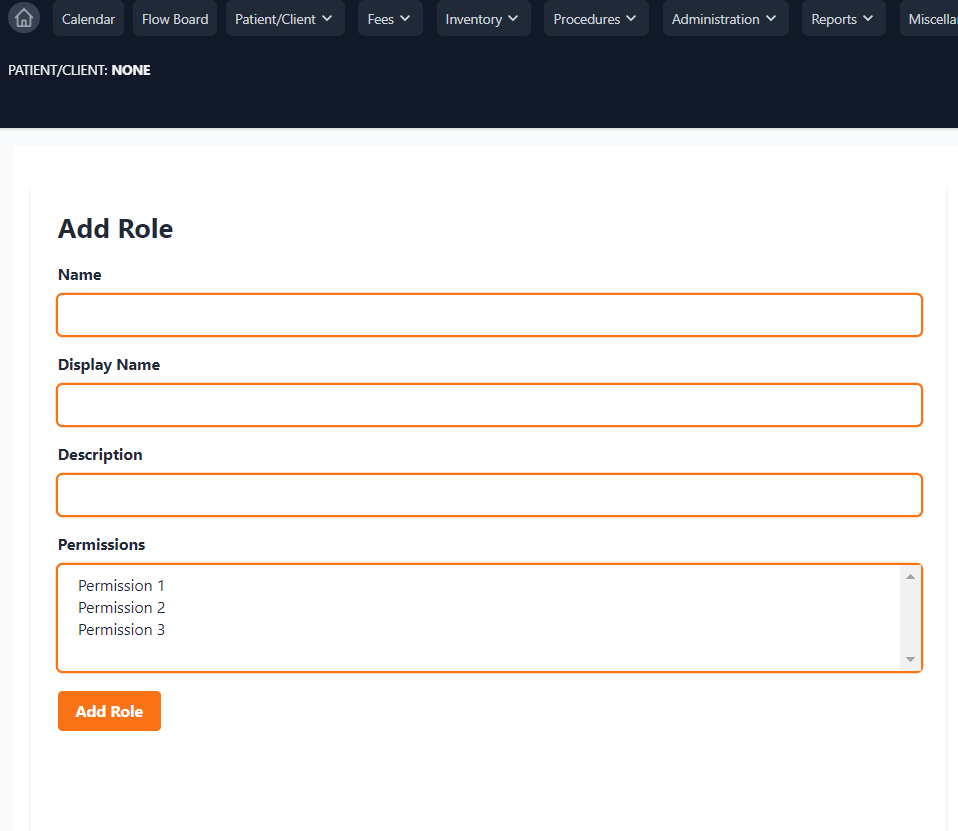
One of the key aspects of my work this week was the implementation of the user interface (UI) for the Roles Module. I created an "Add Roles" form, which provided fields for the role name, display name, and description. Additionally, I added a multi-select field for permissions, allowing users to assign multiple permissions to each role. This intuitive form simplified the process of creating new roles and associating them with the necessary permissions.
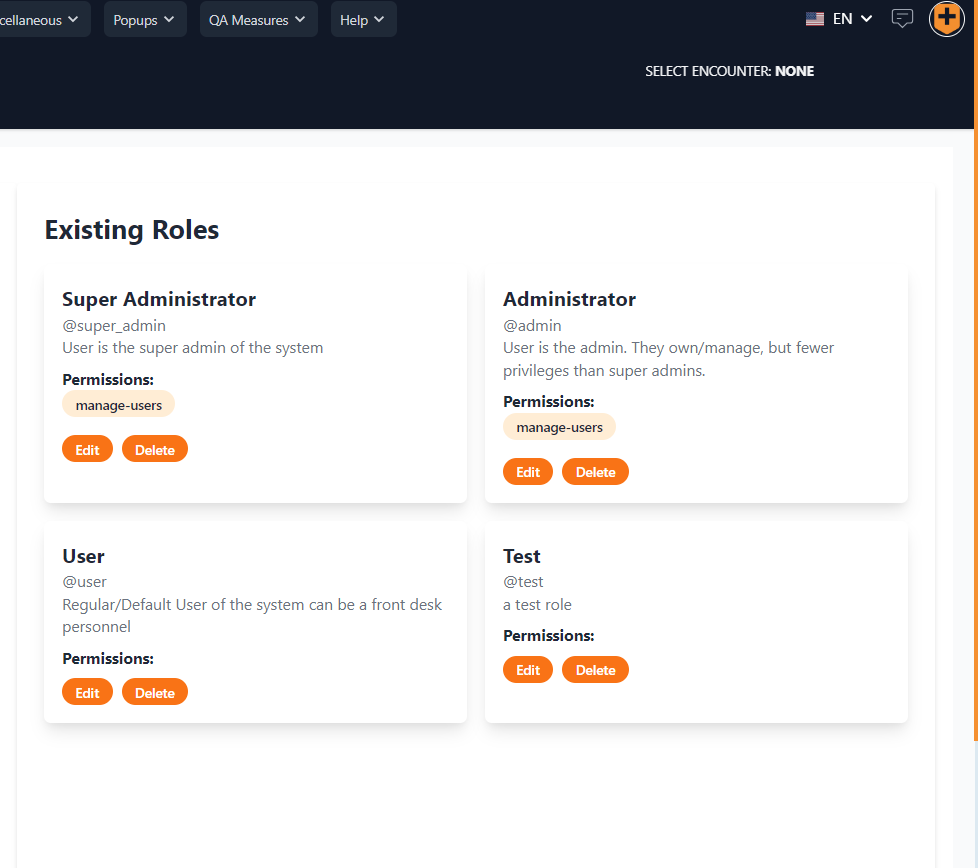
In the Existing Roles view, I designed a visually appealing layout to showcase the details of each created role. Each role was displayed within a small square card with rounded corners, providing a clean and organized look. The card contained the role name, a brief description, and a list of associated permissions. This presentation made it easy for users to view and comprehend the roles and their corresponding permissions at a glance.
Next Week Plan:
In the upcoming week, I have planned the following tasks:
Create a seeder for roles and permissions, ensuring each submodule has appropriate access control.
Enhance the UI for the Role Page, incorporating dropdowns and improving the overall visual aesthetics.
Seek final reviews and complete the Roles Module after thorough testing.
Initialized the GSOC PR:
To track my progress and contributions, I have initiated the GSOC PR. All the commits will be done in this PR through the GSOC period. You can find the PR at the following link: GSOC-23: Roles and User Modules.
Conclusion:
As time passes and we delve deeper into the implementation of the project, my interest and enthusiasm continue to grow. This GSOC project has proven to be a significant challenge, pushing me to expand my skills and learn new concepts. One particular aspect that has captivated my attention is the implementation of the roles module.
The roles module is a complex task that requires careful planning and attention to detail. As I dive into its implementation, I find myself navigating through intricate role hierarchies, permission management, and access control mechanisms. This endeavor has provided me with invaluable hands-on experience and has greatly enhanced my understanding of application security and user management.
With each step I take in implementing the roles module, I gain a sense of accomplishment and confidence. The complexity of this task has pushed me to explore different approaches, conduct thorough research, and seek guidance from mentors. Through this process, I am not only honing my technical skills but also developing problem-solving abilities and critical thinking.
What Next?
Like the blog if you loved the content. Also, you can subscribe to the newsletter for email feeds of the blog.
Stay tuned for more updates in the next blog post as I continue to contribute to the migration of EHR to Laravel. 🚀